- Too awesome, actually... - Jacco, 29 June 2017
My iMac has a huge resolution and whenever I work on a FHD device I actually, literally feel like there is a metal box around me, caging me in, preventing from moving my mouse too far. Move your mouse just a little and you are already on the edge of the screen. Ughggh. Whenever I see FHD mentioned as a feature on a laptop I just shake my head and facepalm myself at th thought of anyone actually thinking FHD is a good thing... I was looking for something to match my iMacs resolution and came up short every time.
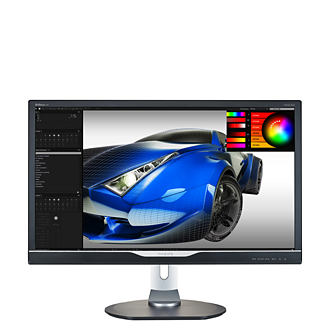
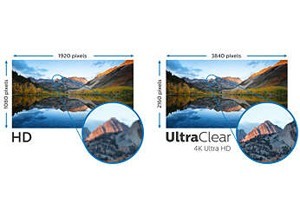
Then I got this beauty. With a resolution even larger than my iMac I was gearing up for even more open windows and doing more multitasking and never having to hide windows behind other windows ever again. Then I got this and Win10 immediately allowed me to go into 4k res. The login screen had never looked so beautiful. The beautiful background image, oh, my word how absolutely astounding it all looked! And then I opened my first app and discovered the first major flaw that I clearly overlooked... With a display that is only 1" larger than my iMac but a resolution so much larger it meant that all the text was incredibly, super miniscule. If not for Windows 10 having these huge buttons in the new control panel I would not have been able to get to my display and zoom in the screen.
I spent ages setting font sizes and default sizes in different apps and what have you and what not but boy, everything is so tiny... Take Photoshop for example... It has an option of using "large menu items" and to scale the canvas to your display. Once I set both those options I was finally able to read the menus. Excellent! Unfortunately, that setting does not translate to the content of the menus... Once you click on "File" you need to press your nose against the screen and squint to read what is written on the menus.
Short version, for text running at UHD resolution is a huge headache and totally ruins and productivity you might have thought of having. Fortunately, Windows does offer to scale your entire display up for you and in so doing it does add a slight blur to the text but more importantly, if you scale everything up till you have barely larger than FHD resolution then what is the point of buying a UHD display?
The answer, though, becomes quite clear when you play games, though. Play that at native resolution and WidowMaker and Tracer's ... well, let's just say your eyes always have the time of their lives! In games this monitor shines and makes you go "How did I ever do without this!?" Crisp, clear, colourful and all other words you can use to describe beautiful graphics, apply them here.
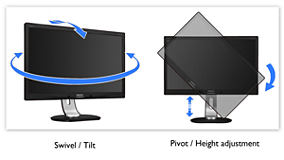
They say you can use the monitor in vertical orientation also but the one time I tried just for the heck of it I could not get it to bend beyond touching the base and I was not about to work on a screen that is permanently sitting at a 40% angle so I returned it to it's normal, intended position and I have loved this monitor to bits. I am annoyed at when it goes to sleep but having a touch sense I an just touch to turn it back on again makes it all okay for me...
So yeah, zoom in till you get as much screen space as you can handle at a comfortable reading size and then play your games in full resolution... this monitor is absolutely worth the money. I loved this thing so dearly that I didn't even remove the features stickers from the bottom of the screen! :D This tells you that the only thing this screen lacks to make it the perfect screen ever is also one feature I am not likely to ever use... touch. If this were a touch display then you would never have to shop around for any other monitor as it would be the best monitor on the market... but since I am too much in love with it to ever touch the screen with my sticky fingers, I give this an 11 out of 10 and recommend you stop reading this review and start clicking on the buy button...