- Viewing angles 7/10 otherwise 8.5/10 - Jarrod, 20 September 2024
Recommended setup: (comment on viewing angles at the end).
1 - Get Dell Display Manager, update firmware (you have to use the USB connection to monitor for this, monitor comes with the cable).
2 - Set colour gamut to DCI-P3, deep wide spectrum of rich colours compared to other settings.
3 - Set response time to extreme and dark stabilizer to lever 0 (you may need to set dark stabilizer up on some games), contrast to 80% (you can fiddle) and brightness to around 45 to 55% (you can fiddle), higher brightness than that with these settings is very harsh on the eyes but fortunately also retains colour, nothing washes out which is good. Even if you drop to 20% brightness its still a well balanced display.
4 - Disable HDR in windows settings under display settings (select monitor to see right settings). Enable HDR in Dell Display Manager set to "Desktop". Do NOT use smart HDR, overrides everything and looks ugly. With this setup I retain ability to control brightness in-between games and browsing, otherwise my eyes would be burnt to charcoal, HDR on full blast is overpowering for my eyes.
5 - Enable G-sync in Nvidia driver settings and enable it for windowed and full screen apps.
6 - Set text size and window scaling to 175%. I noticed blue defects in smaller text with a scaling level below 175%, reinstalling drivers does nothing to resolve it, it seems to be a Windows OS problem. 175% scaling ended up being a perfectly good scale for this size 4k monitor in any case, otherwise everything is so tiny on the screen.
If you really struggle with the dark blacks you get with DCI-P3 you can fiddle with dark stabilizer levels or brightness, otherwise switch back to "standard" or "sRGB" and of course you can fiddle with the other options in the list.
Viewing angles issue:
If you're viewing downwards at monitor, you're going to have IPS bleed (especially if you sit quite close). If you're viewing upwards at the monitor the issue is 90% gone and the experience is very good. The IPS bleed is never fully gone. I see it like tunnel vision, doesn't matter which angle or distance you look at it, sections on the outer edges will appear lighter than the centre, the further back you look the larger the good centre part is.
Now that all being said, it’s not a deal breaker for me, don't over think what I am saying. The value for money and real-world performance is very good and I must say its only when browsing or watching movies I notice the issue more. It’s the only issue I thought worth mentioning as it will bother a small % of people, but for the rest of us trying to get 4k 144hz fast IPS with Gsync compatibility then this monitor is the business. If you want flawless then get OLED and pay dearly.
- Great monitor. Poor HDR. - Victor, 22 March 2024
For anyone who wants an entry-level 4K 32 inch IPS gaming monitor, it is hard to recommend another choice.
I purchased this myself, as I needed the extra screen economy for productivity purposes; for which this fits perfectly. I see myself using the screen for a good while; until the industry brings more affordable/robust OLED 4K 32 inch options to South Africa.
What I like:
- Very easy to setup. The stand is fairly compact and sturdy. Menu system is intuitive.
- Colours on this unit are very good out of the box. The reds are a smidge oversaturated, but this can be solved with calibration.
- Very beautiful + sharp images and text, thanks to the higher resolution and PPI.
- Unit itself is presentable with its thin bezels and sleek looks. Whilst marketed as a gaming monitor; it can easily fit within an office environment.
- 144 Hz refresh rate is nice for that buttery mouse cursor movement goodness.
What I do not like:
- The monitor only has 8 dimming zones for HDR600. As a result, you may encounter *very* ugly vertical banding during darker compositions. Dell does acknowledge it in one of the support articles: https://www.dell.com/support/kbdoc/en-my/000207922/bright-stripes-or-blotches-when-smart-hdr-is-set-to-displayhdr-600-on-the-dell-g3223q-gaming-monitor . Other HDR modes work fine, but do not activate the dimming zones.
- The IPS glow on this unit is noticeable, so not ideal for dark-room usage.
So overall a very good monitor, but I would avoid if HDR is of high importance to you.
- Dell G3223Q 31.5\" UHD 4K (3840x2160) 144Hz - Keenan, 28 February 2024
Recently bought this monitor for my Rtx 4090 PC and really impressed with quality of the screen and had no dead pixels which was great plus smoothness of the 144Hz is amazing. Only thing I would recommend is that if you want better contrast ratio your only option would be buying the new QD-OLED but at the price at the moment for me its not worth it. Also really happy with Wootware and service they provide.
- Excellent screen for it's Price - Charl, 10 February 2024
Being an IPS panel, the contrast ratio is not as nice, compared to my VA panel screen I have standing next to this one.
Overall great screen for 4k gaming. I'm happy!
- Good purchase option - beware of light bleed - Heinrich, 25 May 2023
Very strong light bleed on lower right corner - but ultimately very large and stunning upgrade over my previous VA panel 4k Dell. IPS makes a good upgrade and the high refresh rate is great. Would recommend in lieu of OLED or MicroLED displays in SA. If you get this for gaming you will be happy - productivity work - equally happy as well!!!
- Great features but not implemented very well - Joshua, 3 April 2023
The specs of this monitor are amazing but I'm very disappointed with the level of backlight bleed and IPS glow which is not covered by RMA. It's sad that you pay this amount for such poor quality control.
- Expected More - Ruan, 16 March 2023
The monitor came in a perfect condition.
Build Quality was pretty good.
I ended up returning this monitor because it gave me headaches when using it to code.
The monitor struggles to display black and felt like a missive step down from my ultrawide(Alienware dw3418dw)
Gaming Quality?
I setup my Ultrawide(4 years old at this point) side by side with the dell monitor to see if it was worth keeping just for gaming.
I was surprised to see that my old monitor beat it in every single way except for brightness.
I would definitely not recommend this product if you already have a high end monitor.
You will be disappointed
Thanks again Wootware for the swift and easy return!
- So far so good! - Dan, 30 January 2023
Currently just using this with MacOS (only later for occasional gaming); I didn't think I'd notice the difference between 4k60hz and 4k144hz in macos; but it's a really noticeable difference between this screen and my other one (U3219Q).
RTFM: the hardest part of the installation was finding the power button.
Overall happy user!
- Massive, Competent and Well Priced - Cameron, 10 January 2023
This monitor hits all the requirements for top end gaming at a reasonable price point. The colour and contrast can seem a bit off initially but can be remedied with some setting adjustment. Biggest issue I have faced is adjusting to mouse movements across a much larger screen.
- Bigger than I thought - Breyten, 15 December 2022
Coming from a 27 inch monitor, this screen was more of a size shock than what I anticipated. Very happy with my purchase. I havent seen any image retention and the Freesync has worked very well with my GSYNC card, so running at 144hz very well. Would recommend.
- Great 4k Gaming Monitor - Hein, 5 December 2022
Coming from an ultrawide curved VA panel I was worried that the "lower contrast" of an IPS would be a glaring issue, as I've gotten used to how nice my VA looked coming from a TN panel. I didn't expect this monitor to look as good as it does, it looks a lot richer and colours feel a bit more "poppy" and I couldn't be happier.
Haven't tested the HDR yet since most monitors have fake HDR, I did update the firmware so might have a look later on but not keeping my hopes up. Don't see any image retention in normal usage, maybe something related to running very specific tests but all good so far.
Overall happy with my purchase, at this price point it was either this or a 43" TV which was out of the question
- In love with this monitor! - Jacques, 3 December 2022
This monitor is an absolute beast @4k, 144hz, HDR600! Yes it is expensive, but it is worth it! Also no image retention defects like the review above, tested with the latest firmware installed this monitor is flawless! One of the best monitors to get if you are in the market for a 4k/32".
- Good value for the price with some flaws - Brandon, 25 September 2022
Pros:
- Full coverage of SRGB spectrum (as most ips panels have)
- Excellent response time, among the best (if not the best) in the 4k 144hz range
- No noticeable pixel inversion at the lowest overdrive setting. If you turn it to faster or extreme preset you start to notice some, but this will be subjective.
- Decent brightness levels
- Excellent text clarity thanks to the 138 pixel per inch density
Cons:
- Known image retention defect on certain static backgrounds. I've only been able to get image retention by running: https://www.testufo.com/ghosting (specifically the white on black diagonals that separate the ufo blocks), otherwise its gone unnoticed by me.
The image retention does go away on its own if you give it a couple minutes, or use the "LCD Conditioning" setting in the monitor OSD and it will go away faster.
- Poor contrast, but not worse than other IPS models. Blacks look more gray than actual black.
- Its rated at HDR600 and it does hit 500 something nits, however its just not bright enough to do it justice. Colours look too washed out when you have the HDR mode enabled imo.
- Dell screens have a high possibility of bright pixels against black background and dead pixels on white background to a lesser extent.
I originally bought the S27DGFA 1440p 27 inch model, returned 3 of those monitors because of bad pixels. Jumped to the G3223Q and the first unit I got had the exact same issue as the 1440p panels.
The current unit I have has 1 dead pixel and a bunch of bright pixels that show on a black background, but I decided to just live with it because: 1. I have no desire to keep fighting for a pixel perfect monitor and 2. its only noticeable if you try look for them as the subpixels are really small on a 4k panel
More indepth review: https://www.rtings.com/monitor/reviews/dell/g3223q

 In stock with Wootware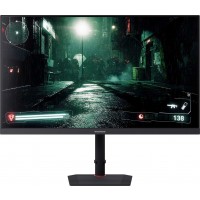


![[OPENBOX] WootVision 32U V144 31.5](https://www.wootware.co.za/media/catalog/product/cache/1/small_image/200x/9df78eab33525d08d6e5fb8d27136e95/w/v/wv32uhdvpb-144hz-01_1.jpg)