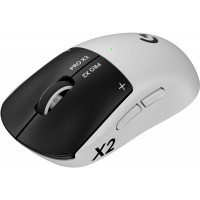
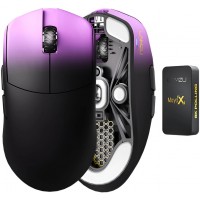
- Good fit for larger hands - Riekert, 1 August 2025
I had the G502 Hero for 6 years and while it was a great mouse my hands were too big for a comfortable palm grip - but this mouse has a raised back part which fits much better into my hand. The scroll wheel also isn't as far back as my previous mouse so palm grip actually works well. The tracking is a bit different to a gaming mouse, can't really say what it is but feels slower, even though I'm using the same or higher DPI settings, but you get used to it quite quickly. I also enjoy not having all the extra buttons of a gaming mouse since it never fit my work or gaming style.
Super happy with the purchase, would definitely recommend.
- Logitech MX Master 3S - David, 12 December 2024
It took some time to get used to the mouse, but it is now one of the best investments I have made for the work place. I spend 90% doing CAD work and with the extra programmable buttons, it has made life so much better.
The mouse clicks are also almost silent.
- Now everyone wants one - Daniel, 10 October 2024
I bought one as a birthday present but lied about the price, now everyone is asking for one :')
- Don't think I can live without this mouse ever again - Ryunosuke, 16 August 2024
They make such a small deal about it in the product description but the fact that I can pair this mouse to 3 devices at the same time is absolutely awesome! The downloadable software allows me to change between devices just by moving my mouse to the edge of the screen so now I am able to run my Windows PC on the left side of the monitor and my Mac on the right and switch between them as easily as moving my mouse to the edge of the screen! Pair this with the MX Keys keyboard that also lets me pair it with multiple devices and you have yourself an effortless multi device/OS setup!
Then, when I have to go work on my laptop, I say "I love that mouse" and take it with me... voila.. two clicks on the bottom of the mouse and now I am using it on my laptop. When I'm done, 1 click and my mouse is back to determining by itself which machine I am working on. This has drastically simplified my life and I love it to bits!
- Worth Every Penny - Heinrich, 18 September 2023
This is my first time spending this much on a mouse. But its definitely worth it.
- The real deal - Andre, 23 November 2022
I was sceptical at first paying this much for a mouse but wow it's the best mouse I've ever owned. It connected with very little effort using the bolt dongle and I love the customization options. Some thoughts:
- The horizontal scroll wheel is pretty handy though it takes a little getting used to. I kept hitting the two buttons underneath it instead.
- The thumb button is fantastic at its default setting to see an overview of all my open windows. Sometimes it's hard to activate but maybe I just need to get used to it as well.
- I love the ability to change how the vertical wheel scrolls. It's extremely quick
- Ergonomically, this fits my hand like a glove. It's perfect for me.
All in all, completely happy with this purchase.
- Best mouse ever - Fareed, 21 September 2022
Although not a major step up from the MX Master 3, the 3S is just so smooth. It might be my imagination, but this just feels ever so slightly better. The best mouse just got better

 In stock with Wootware