WootVision 27Q I120 27" WQHD (2560x1440) 120Hz 5ms IPS Anti-Glare...
 In stock with Wootware
R3,899.00
R2,399.00
Save: R 1,500!
Gigabyte G27Q20 27" WQHD (2560x1440) 210Hz OC 0.5ms SuperSpeed IP...
In stock with WootwareR4,999.00
R3,999.00
Save: R 1,000!
Dell SE2725HM 27" Full HD (1920x1080) 100Hz 8ms IPS Desktop Monit...
In stock with WootwareR2,799.00
R2,199.00
Save: R 600!
WootVision Pro 27Q M240 27" WQHD (2560x1440) 240Hz 1ms Fast IPS M...
Stock Coming SoonR5,899.00
R4,599.00
Save: R 1,300!
WootVision 27QF I210 27" WQHD (2560x1440) 210Hz (OC) 1ms (OD) IPS...
Stock Coming SoonR4,399.00
R2,999.00
Save: R 1,400!
WootVision Pro 27Q O240 27" WQHD (2560x1440) 240Hz 0.03ms QD-OLED...
In stock with WootwareR14,999.00
R8,999.00
Save: R 6,000!
Dell SE2726D 27" WQHD (2560x1440) 144Hz 8ms IPS AMD FreeSync Desk...
In stock with WootwareR4,499.00
R3,999.00
Save: R 500!
Acer UM.HMXEE.001 M27V17Q 27" WQHD (2560x1440) 100Hz 5ms IPS Anti...
Stock Coming SoonR3,699.00
R3,299.00
Save: R 400!
Gigabyte G27Q3 27" WQHD (2560x1440) 320Hz 1ms SuperSpeed IPS Free...
In stock with WootwareR7,499.00
R5,799.00
Save: R 1,700!
WootVision Pro 27Q O500 27" WQHD (2560x1440) 500Hz 0.03ms Samsung...
In stock with WootwareR22,999.00
R13,999.00
Save: R 9,000!


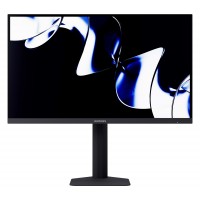

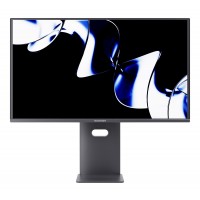


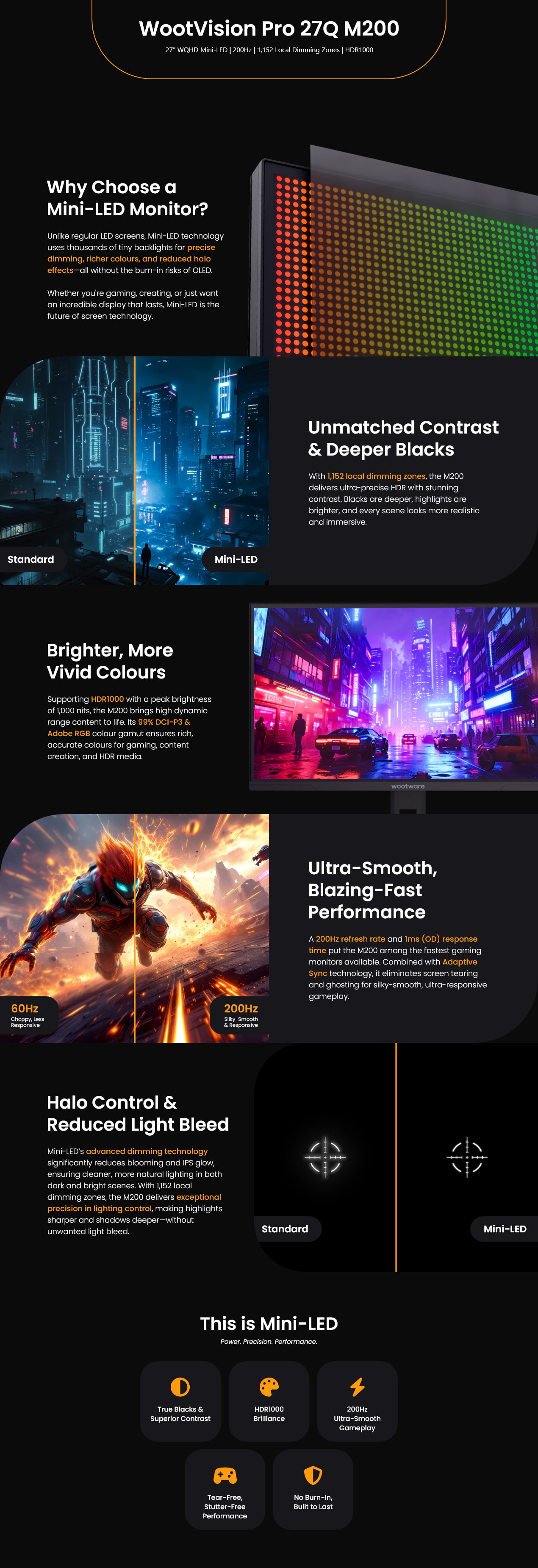
| SPECIFICATIONS | |
| Brand | WootVision Pro |
| Model | WV27QHDML0RP-200HZ |
| Display | |
| Panel Size | 27" |
| Panel Type | Fast IPS |
| Mini-LED | |
| Resolution | WQHD (2560x1440) |
| Refresh Rate | 200Hz (via DisplayPort) |
| Response Time | 1ms (OD) |
| 5.9ms (GtG) | |
| Contrast Ratio | 1200:1 (Typical) |
| Pixel Pitch (HxV) | 0.0777mm x 0.2331mm |
| Brightness | 450 cd/m² (SDR) |
| 1000 cd/m² (HDR) | |
| Colour Gamut | 97% ±2% (NTSC CIE1931) |
| 96% ±2% (NTSC CIE1976) | |
| 96% ±2% (DCI-P3 CIE1931) | |
| 99% ±2% (DCI-P3 CIE1976) | |
| 99% ±2% (sRGB CIE1931) | |
| 100% ±2% (sRGB CIE1976) | |
| 99% ±2% (Adobe RGB CIE1931) | |
| 99% ±2% (Adobe RGB CIE1976) | |
| 81% ±2% (BT2020 CIE1931) | |
| 81% ±2% (BT2020 CIE1976) | |
| Colour Support | 1.07 Billion Colours |
| 10-bit (8-bit + Hi-FRC) | |
| Adaptive-Sync Technology | Yes |
| HDR | HDR 1000 |
| 1152 Local Dimming Zones | |
| Viewing Angle | 178° (H) / 178° (V) |
| Display Features | HDR1000 Ready |
| Game Plus | |
| PIP/PBP | |
| Overdrive | |
| FPS/RTS Game Mode | |
| Flicker-Free Backlight Adjustment | |
| Adaptive-Sync | |
| Dynamic Contrast Ratio (DCR) | |
| Software-controlled Low Blue Light (Eye-care Mode) | |
| DeltaE (Colour Calibration: DCI-P3, sRGB, Adobe) | |
| Factory Pre-calibrated sRGB Clamp Mode | |
| Physical | |
| Height Adjustment | 120mm (±5mm) |
| Swivel | ±20° - 25° |
| Tilt | -5° to +20° |
| Pivot | 90° (±2°) |
| Wall Mountable (VESA) | 100mm x 100mm |
| Connectivity | |
| Display Input | 2x HDMI 2.1 (TMDS) (48Hz - 144Hz) |
| 1x DisplayPort 1.4 (48Hz - 200Hz) | |
| Headphone out | 1x Audio out |
| Power | |
| Power Consumption | 56W (Typical) |
| 150W (Max.) | |
| Power Saving Mode | <0.5 W |
| Power Off Mode | <0.3 W |
| Power Type | External Adapter |
| Power Supply | DC 19V, 6.32A, 120W |
| General | |
| Dimensions | 614.2mm x 228.75mm x 517.85mm (With Stand) |
| 614.2mm x 66mm x 364mm (Without Stand) | |
| Weight | 5.95kg (Net) |
| 8kg (Gross) | |
| Warranty Information | |
| Warranty | 3 Year Warranty |
| Manufacturer's Site | No |
|---|---|
| Product Link | No |
- Excellent monitor - Jaison, 9 December 2025
This monitor offers high-end features that you won't find at this price point. The colours are vibrant and accurate (with the calibration report included in the box) and the local dimming makes HDR content really pop. It's been a superb experience gaming at 1440p on this, coming from a 1080p TN screen. Be sure to do a little bit of research and setup in Windows for HDR to get the most out of it.
The stand a swivel/tilt feel great. The OSD is a little clunky, with my main gripe being the lack of joystick control. That being said, it's a forgivable sin as the OSD is not frequently accessed. - Great product, highly recommended. - Jordan, 4 December 2025
For those curious, its definitely worth it! I'm very impressed with the display! Its quality, panel, packaging and stand are great. Yes, the settings can be finicky, but once its set up, its awesome. Its my first 1440p experience and I couldn't be happier. There is nothing else on the market offering the mini-led tech at this price point.
Thanks Wootware for the great service and product! - Excellent Monitor - Raymond, 2 December 2025
Coming from a Dell 27DGFA HDR400 certified monitor.
Bought the Dell as an upgrade for the HDR but unfortunately it was not that great. I was very happy with the Dell monitor other than the HDR in general.
Then I saw the Wootvision mini led with 1152 local dimming zones and decided to take a chance and I'm very happy I did. Everything is basically a step above the Dell, especially the HDR can really see the difference. I will say the build quality of Dell is slightly better but if it’s standing there, you won’t even notice it. You still get all the adjustments you need. The test certificates are a very nice addition with delta E measuring well below 1 for SRGB, ADOBE RGB and DCI-P3. I’m not an expert but it’s considered professional-grade color accuracy. The osd does take some getting used to but it’s okay.
The monitor is awesome you get a complete package not even mentioning the great price. I have been buying from Wootware for many years and as always received great service.
- Best 1440p Monitor For the Price - Rupert, 28 November 2025
Extremely great monitor, and great crisp visuals. The monitor auto adjust the brightness in scene's whether it be gaming or movies and the black levels are great (not as perfect as Oled but 90% there). The OSD menu is fine. Adaptive sync works well and HDR 1000 looks very pretty. I upgraded from an 1080p 144Hz TN panel to this and the difference is night and day. Treat yourself and get this monitor, it is a steal for such a price.
- Don't wana pay for OLED?... Buy this - Wouter, 17 November 2025
This monitor is great. I couldn't stand the IPS glow on my previous monitor but didn't want to pay for OLED and possible burn-in. I decided to get this instead and it did not disappoint. In my opinion the OSD is also fine. I did not have any issues with it yet.
- Excellent monitor - Lucre, 31 October 2025
The display and build is excellent. The contrast and brightness is amazing and responsive.
I only negative I have so far is OSD menu and toggling between sources.
I use the monitor with multiple devices, and it often take a few seconds to swap or sometimes doesn't.
I then need to switch it off and on again.
Always great service from Wootware. - Excellent Monitor - Reece, 22 October 2025
I’m seriously impressed with this product, especially for the price. The mini OLED display is such a great touch, it’s clear, sharp, and adds a level of functionality and polish you don’t usually see at this price point. It’s super useful and just looks cool!
Overall, I think this is an amazing deal. You’re getting features that are usually found in much more expensive products. I highly recommend it to anyone who’s considering it. You won’t be disappointed! - Underpriced high-end monitor - Thabi, 3 October 2025
I'm coming from a Dell IPS 24-inch FHD screen. The immediate upgrade was beyond my expectations.
The clarity and crisp visuals are second to none.
So, If you've read reviews on Reddit, Carbonite or even YouTube whether to get a mini-LED or OLED display...I'll definitely go with the mini-LED that has at least 1152 dimming zones. I have an OLED 120Hz TV and compared the two.
Side by side in GOW: RAGNAROK, the colours on the mini-led "pop" with vibrancy and possibly oversaturation.
On the OLED, however, there's far greater contrast and the colours seem more natural. The deep inky blacks will always be there..We can't forget about them.
They both have great strengths but once I stopped the comparison test, I didn't feel the need for the OLED.
Instead, I'm content I have an excellent monitor I don't have to babysit with pixel cleaning and being charged nearly double for a monitor that is atleast 40% discounted???? (looking at you Xiaomi with your R8999 monitor).
Blooming was minimal and hardly noticed in scenes.
OSD sucks but is intuitive. The least of my concerns really. Packaging was sufficient and built quality was slightly compromised for the sake of a high-quality panel display.
- Fantastic monitor at a great price with good HDR support - Lukasz, 23 September 2025
This monitor is fantastic and has exceeded my expectations, especially considering the price (R5700). I'm sharing this review in the hopes that it can inform anyone else considering a mini-LED monitor as a viable and budget-conscious alternative to OLED.
Why mini-LED though? Why pay a premium for fancy backlighting that many people might not really care much about? Because black levels and HDR, and because I honestly cannot afford an OLED. Not only that, but I tend to hold on to my tech for years and pass it on to family or friends when I upgrade. It's hard to justify paying an OLED price for a monitor that will degrade (not if but when) much faster than most LCD/LEDs. The dream is to get a 32 inch 4K OLED once the tech matures some more (higher burn-in resistance and higher brightness for HDR), with a GPU upgrade to match (and probably the entire system by that point). Until then, mini-LED offers a very compelling taste of what OLED delivers for roughly half the price.
I’m curious as to how this model differs from the 300Hz variant (which was nearly R2000 more expensive but out of stock). I was initially going to get that one because it has double the local dimming zones of the 180Hz model (1152 vs 576) but then the 200Hz variant showed up for only about R200 more than the 180Hz, with 1152 dimming to boot.
Upgrading from a Dell S3220DGF, I would have ideally gotten a 32 inch mini-LED, but unfortunately I could literally count the number of locally available mini-LED monitors on one hand. Wootware confirmed that they were not planning to release a 32 inch version so I compromised for a smaller size. Honestly it hasn't taken long to adjust, just moving the screen closer pretty much did it, plus the higher pixel density (~109ppi I believe, from the Dell's uninspiring 93ppi) is quite noticeable and appreciated. What is not so easy to adjust to, is the flat screen coming up against 8+ years of using curved screens. The fish bowl effect is ridiculous and persistent. The novelty of pretending I'm looking at a good old CRT from my childhood has worn thin. It's slowly going away after a few days so I'm really hoping I can adjust fully.
A growing reason for upgrading from the Dell was the cursed edge lighting and backlight bleed. While the S3220DGF has very impressive black levels, they mean nothing in most scenarios without local dimming. HDR is unusable as a result, as it typically is on most monitors without full array local dimming. This is the main selling point of a mini-LED monitor and this one delivers on that front. While you don't get the perfect blacks of an OLED, it gets respectfully close in most content. There is a bit of IPS glow but it’s really not too bad, and practically unnoticeable unless you’re looking for it. Many users point out that having local dimming enabled for regular desktop work can look strange (constant shifts in brightness depending on UI elements) but I've gotten used to it pretty quickly. You can adjust the local dimming to Low, Smooth, Middle and High. I've gotten good results with it set to High on my HDR profile (for gaming and video) and Smooth on my SDR profile (for everything else). I think most people will want to turn it off for desktop use though.
There is a setting for halo control to manage blooming artefacts, although it doesn't seem to do anything. This monitor handles blooming relatively well, provided you are sitting right in front of it. If wider viewing angles are important to you then this monitor might not be right for you. The IPS glow and blooming can get quite severe from tighter angles. It's something to keep in mind if you're using multiple monitors but for a single screen setup where you face it dead on, it's not an issue at all. With all that said, even in ideal scenarios the blooming is noticeable, so if you’re sensitive to it then be wary. It doesn’t bug me too much, it’s only really noticeable in extreme situations like the blooming test from Blur Busters. For the price though, it’s not bad at all.
The response time seems to be very decent, with Dynamic OverDrive settings of levels 1, 2, 3 and Topspeed. I've set it to level 2 and it works well with no noticeable ghosting or overshoot. It’s certainly better than my old monitor, which was a VA panel with visible ghosting. I'm also running an old PS4 through this screen which tops out at 60Hz. For anyone else who cares, this monitor handles 60Hz just fine.
This leads me to Variable Refresh Rate performance. The monitor is FreeSync certified and seems to be fully G-Sync compatible. It's working flawlessly and I have not noticed any flicker, which is a problem on many monitors and particularly so on OLEDs allegedly. The VRR flicker on my old DELL was in that dreaded liminal zone where it's so subtle in most cases as to be almost imperceptible, but never quite fully stable. It was maddening, like being gaslit by your own monitor. Eventually I just internalized the abuse and it became normalized, until now, where I have a very obviously stable image. I think this is an IPS advantage, with VAs and OLEDs being far more prone to flicker, but I could be mistaken. Screen tearing is a very subjective thing, but if you're like me and you absolutely cannot stand it, then having a properly functioning VRR solution is indispensable. The latency cost of regular vertical sync is just too high but flicker can also be a cost too high to pay. Fortunately, all is well in that department.
In terms of colour, this monitor can handle several colour gamuts: sRGB, Adobe RGB and DCI-P3. It comes pre-calibrated (with a detailed factory calibration report for each one included in the box). Each one of those can be fine-tuned individually and saved as custom profiles. In addition, the monitor comes with a ludicrous amount of picture modes for different game genres (FPS, RPG, MOBA, etc.), for movies, reading, night, eye care, e-book and Mac View. I steered clear of them and only really checked the sRGB and DCI-P3 modes (sticking with the latter due to it’s alleged wider colour range and vibrancy). I don’t work with graphics or photo or video editing so I don’t have much more to say here, other than the colours on this monitor look great and well saturated. There are many parameters that can be fine-tuned for those who need to do so. There are even 3 user setting profiles for colour temperature. I think Natural and Warm both look good, while Cool looks quite unnatural.
What is unfortunate and curious is that when the monitor is in HDR mode, many (if not most) picture settings become locked. This is apparently a common situation with many HDR capable monitors, for reasons I don’t understand. TVs don’t lock out settings when in HDR mode so why do monitors? Anyway, this is not a major issue as this monitor handles HDR quite well, so all the settings that become locked are fortunately dialled in well enough. There are 3 HDR modes: Auto, Movie & Game. Auto and Movie have the colour temperature too warm for my liking, bordering on unnatural, but Game is far more neutral and comes with a subtle saturation boost. I’m happy with Game mode and it would be silly to split hairs over this at the monitor’s price point.
The topic of HDR bears some further consideration. Windows 10 and 11 is notorious for having mediocre HDR support, with many complaints going back years and seemingly little being done by Microsoft to address it. There are workarounds, third party tools and mods for all of this, and whether or not you care to put in the effort to get it working properly is entirely subjective. The bottom line for me is this: I have experienced what good HDR looks like (on OLEDs and on my beloved mini-LED TV) and when it’s working well, it’s a game changer. In terms of the visual (and emotional) impact it has on me, it’s on par with the resolution leap to HD (1080p) years ago, or going from 60Hz to 120Hz and higher, or going from 1080p to 1440p, or going from 24 inch to 32 inch. In other words, it’s great and I want it wherever possible. Furthermore, consoles can do it with minimal fuss. But even if you don’t much care for HDR, or you do but you just don’t have the patience to jump through hoops to get it working properly, the fact remains that a very high peak brightness and full array local dimming are magical when it comes to a good contrast ratio and overall image quality. Even in SDR mode this monitor pops.
It's taken a bit of tweaking but I’ve managed to get HDR working really well in most games. When they don’t have native support (or they do but it isn’t great, like Cyberpunk 2077), then Nvidia’s RTX HDR is amazing (and better than Windows 11’s Auto HDR). I’ve had to lower the quality due to the rather heavy performance cost but with a bit of work the results are fantastic. I may try some mods in the future but for now I’m happy with it. I will also still need to test how streaming services like Netflix and Apple TV handle HDR on PC. If they suck I can always just use the PS4.
In terms of the actual packaging and setup, everything came safely packed and setting up the stand for the monitor was extremely easy. There are additional screws for a mount if that’s what you need but the stand is very solid, as is the build quality of the entire unit. It’s a simple understated design that doesn’t scream GAMING in any way. There are no RGB lights and the unit looks like a fairly generic office monitor, which is perfectly fine for me. Height, pivot, swivel and tilt adjustments are all possible so you can use the screen in vertical mode if you need to. You have your standard DisplayPort (1 x 1.4) and HDMI (2 x 2.1) ports as well as a 3.5mm audio port. The audio port on my unit appears to be faulty (it only outputs the left channel) and Wootware has offered to test it and replace the unit if confirmed, but this is a feature I will never use and I feel like I won the panel lottery with this unit: the backlighting and screen uniformity is remarkable and all pixels are alive and well. Hence I won’t be sending it back and risk getting a less impeccable panel back. This is just important to mention for anyone who might need to use the audio port. Most importantly though, Wootware are just consummately professional about the whole thing, living up to their well earned reputation.
The only substantial complaint about this monitor is the OSD controls. Frankly, they are awful. Operating them feels like trying to write with your non-dominant hand. Fortunately once you’ve dialled in all your settings you probably won’t need to fiddle with the controls too much, but it would be nice if they were more intuitive. There may be a setting that you do need to adjust regularly (particularly local dimming) and doing so is annoying. But again, for the price and features, it’s hard to complain.
So to wrap this up, I am thrilled with this monitor. I have no real complaints. For the first time in my life, I’m using a monitor that does not involve any sort of compromise (with the possible exception of size but as I previously mentioned, the adjustment was easy). It has great image quality with rich colours, deep blacks and stunning brightness, it handles motion superbly (200Hz refresh rate, low response time and no ghosting), it’s crisp with text and general desktop use, and perhaps most importantly, it is so well priced. For what this monitor offers, that is a steal. The only other locally available options from AOC and Xiaomi are around R10000. Wootware could have easily charged far more for this monitor but I’m glad they’ve been offering these rebranded InnoCN panels locally at such competitive prices. Judging by the product reviews and user comments, these panels are good quality and fantastic value in a market where we’re paying high prices for most of our tech. - Great monitor - Sky, 10 September 2025
I don’t think you’ll find anything close to this monitor in its price range.
I upgraded from a 24-inch 1080p display, and the difference is night and day. The clarity, smoothness, and overall experience are on another level.
Since I work from home, text readability was a top priority for me, along with HDR and a high refresh rate. This monitor delivers on all three fronts, making both work and games/movies a lot more enjoyable. I’m very happy with my purchase. - Value, Also Dimmable Zones - Rishern , 10 September 2025
I basically echo the sentiments of the other reviews. The reason I chose this particular model and not the one with 180hz was purely due to the 200hz having double the number of dimmable zones.
I have not had the same luck with HDR though as Windows 11 does not even give me the option to toggle it on, and I'm trying to figure out why.
Finally it does take some tinkering in settings to get it to display what I find pleasing with regards to brightness, contrast and colour. But I can say that about any display really. - Very good! - Du'ane, 10 September 2025
I ordered this screen as my first upgrade from 1080p 60Hz and man...this was a literal life changer. The quality of the product itself is fantastic. The frame is sturdy and the brackets are strong and well designed. The setup was easy, only one screw needed to be fastened and the image quality...amazing. I got recommended this screen by a friend who told me he will be getting one for himself in due time as well.
All in all I am immensely satisfied with the product and would 100% , 10/10 reccomend it for anyone looking for a monitor upgrade! - Very good - Sky, 5 September 2025
TLDR;
This monitor is a treat.
I'm upgrading from an oldish dell 24" 1080p monitor and I am really happy with this upgrade. It also has good HDR and colours.
I WFH and mostly use darkmode, HDR and local dimming set to low. The text calrity is pretty good while I work.
I also have played some games with my OS and monitor's HDR enabled, and the games look great.
Games I've tried:
Overwatch 2
Path of Exile 2
Black Mesa
Octopath Traveler
Space Marine 2
And more I can't remember - Excellent monitor - Excellent price - Pieter, 3 September 2025
Exceeded my expectations. At the price point the overall picture quality and response time is very good. The Mini-LED backlit panel with HDR provides brilliant contrast and vivid images. Build quality is also good. Only negative thing that I would like to mention, is the viewing angle isn't that great, but it doesn't bother me as it's being used as my primary screen, and I sit directly in front of my screen. Other than that, great screen, would recommend.
- Awesome Monitor - Dawid, 14 August 2025
As I delve into the 1440p realm - this is an fantastic screen to do so. HDR looks great! I felt the packaging and interface is very good at this price. The viewing angles could be better but I also felt for the money it was pretty decent. I am excited to see there is a hole series of Wootvision products now! Don't look past these screens - they are well worth it!
- Best monitor for the price - Kevin, 30 July 2025
CUD purchase coming from a DELL S2721DGF 1440p 165Hz IPS monitor.
I was initially a bit skeptical about the specs at first, but because it was so well-priced I thought I'd take the risk.
This monitor beats my previous one in every aspect besides viewing angles (Not something that bothers me too much because I sit dead-on 99% of the time).
The main selling point of this monitor for me was the mini-LED technology and it does not disappoint. The contrast ratio is also fantastic.
The deep, dark blacks made my previous monitor look grey in side-by-side comparison.
**PROS**:
- Mini-LED delivers
- Great contrast ratio
- Panel quality is solid
- LOTS of OSD settings (even has an ambient light sensor to automatically dim the display)
- Plastic material seems durable enough
- Price
**CONS**:
- Viewing angles are not that great
- Wall mounting screw points have plastic covers (not sure if they will crack over time)
- OSD menu can be a bit buggy sometimes
Overall I'm stoked with my upgrade! - Amazing Monitor, Great Price - Johno, 29 July 2025
This is an amazing Monitor, didn't know how much I was missing. Coming from an old 1080P monitor this has been a huge upgrade!!! This monitor is well worth the price and punches well above its weight, I'd compare it to other brands twice the price. Personally, don't care much for the high refresh rate but as for 1440P and HDR1000 that is a game changer for both games and movies. Just wish it had Win11 drivers so that it will show HDR1000 cert, instead of Generic PnP monitor which doesn't, but that is small issue with no impact.
Questions
Ask a Question
No questions yet. Be the first to ask!
Logitech 960-001585 Brio 100 2.0MP Full HD 1080P Graphite USB 5Gb...
Stock Coming SoonR699.00
R599.00
Save: R 100!
Logitech 920-009800 MK295 Silent Wireless Keyboard & Mouse Combo
In stock with WootwareR749.00
R569.00
Save: R 180!
Microsoft Windows 11 Professional 64-bit Operating System - DSP P...
In stock with WootwareR4,199.00
R2,799.00
Save: R 1,400!
Super Flower SF-850F14GE Leadex III GE 850W 80 Plus Gold ATX 3.1 ...
In stock with WootwareR2,799.00
R2,199.00
Save: R 600!
Apple Mac mini M4 10-Core CPU 10-Core GPU 16GB/256GB Silver (MU9D...
Contact for AvailabilityR20,999.00
R18,999.00
Save: R 2,000!
Microsoft Windows 11 Home 64-bit Operating System - DSP Pack
In stock with WootwareR3,499.00
R2,249.00
Save: R 1,250!
ID-Cooling FROZN A620 PRO SE BLACK 120mm Dual-Tower Black PWM CPU...
In stock with WootwareR949.00
R849.00
Save: R 100!
GMKtec NUCBOX G3S Titanium Grey Intel N95 3.40GHz Quad-Core 8GB(1...
In stock with WootwareR8,499.00
R5,999.00
Save: R 2,500!
AMD 100-100001405WOF Ryzen 5 9600X 5.40GHz 6-Core Zen 5 Socket AM...
In stock with WootwareR5,799.00
R4,499.00
Save: R 1,300!
AMD 100-100000457BOX Ryzen 5 5500 6-Core 3.6GHz (4.2GHz Boost) So...
In stock with WootwareR2,199.00
R1,999.00
Save: R 200!