| SPECIFICATIONS | |
| Brand | Wootware |
| Series | WootVision Pro |
| Model | 27Q O500 (WV27QHDOXA-500HZ) |
| Display | |
| Panel Size | 26.5" |
| Panel Type | Powered by Samsung's 4th-Generation Penta-Tandem QD-OLED Panel (QMC265FG01-D01) |
| A 5-layer emissive stack delivering: | |
| • ~1.3× Peak HDR luminance over prior-generation QD-OLED | |
| • ~2× Panel longevity | |
| • Full 1000-nit True Black HDR | |
| The next step in QD-OLED brightness and burn-in resilience. | |
| Resolution | WQHD (2560 x 1440) |
| Aspect Ratio | 16:9 |
| Refresh Rate | 500Hz |
| Response Time | 0.03ms |
| Contrast Ratio | 1,500,000:1 |
| Brightness | SDR: 300 nits (cd/m²) |
| HDR 500 (True Black): 500 nits (cd/m², Typical) | |
| HDR 1000 (True Black): 1000 nits (cd/m², APL 3% Typical) | |
| Colour Gamut Coverage | DCI-P3: 99% |
| Display Colours | 1.07 Billion |
| Panel bit depth | 10-bit |
| Display Area | 590.42 x 333.72 mm (HxV) |
| Viewing Angle | 178° / 178° |
| Panel Profile | Flat |
| Panel Treatment | Glossy |
| Physical | |
| Height Adjustment | 0 to 130 mm |
| Pivot | ±90° |
| Swivel | ±30° |
| Tilt | -5° to 20° |
| Wall Mountable (VESA) | 75mm x 75mm |
| Connectivity | |
| Display Input | 2x HDMI v2.1 (FRL) (QHD 360Hz) |
| 1x DisplayPort v1.4 (QHD 500Hz) | |
| 1x USB Type-C (Data, 90W PD, DP Alt Mode: QHD 500Hz) | |
| 2x USB 3.1 Gen1 Type-A | |
| 1x USB 3.1 Gen1 Type-B | |
| Audio Output | 1x Audio Out |
| Power | |
| Power Requirement | 24V/7.5A |
| Power Consumption (Standby) | ≤0.5W |
| General | |
| Features | Adaptive Sync |
| Auto-Low Latency Mode (ALLM) | |
| FPS/RTS Mode Support | |
| HDR10 | |
| KVM (Keyboard, Video and Mouse Switching) | |
| Low Blue Light | |
| PIP / PBP (Picture-in-Picture / Picture-by-Picture) | |
| Variable Refresh Rate (VRR) | |
| Package Contents | Monitor |
| Base (Stand) | |
| DisplayPort Cable | |
| Power Adapter | |
| Power Cable | |
| User Manual | |
| Environmental Usage | Storage Temperature: -20°C to 60°C |
| Operating Temperature: 0°C to 40°C | |
| Working Humidity: 10 to 90% RH | |
| Applicable Altitude: ≤ 5000m | |
| Colour | Black & Grey |
| Dimensions | Device: 610.5 x 553 x 183.5 mm (±3mm) |
| Packaging: 767 x 174 x 462 mm (±3mm) | |
| Weight | Net: 6.6kg (±5%) |
| Gross: 9.2kg (±5%) | |
| Warranty Information | |
| Warranty | 3 Year Warranty (Including 3 Year Panel Burn-In Coverage) |
| Manufacturer's Site | No |
|---|---|
| Product Link | No |
- 30+ Day review - Dawie, 18 June 2026
See my earlier first impressions post on the wider details of this monitor as a whole.
This review is additional to that and in service of those that haven't used OLED to any significant degree yet, basically a review that past me would have liked to see as it would have saved me a lot of time etc.
This 4th gen panel goes a long way in addressing many of my prior OLED issues, but there are quite a few remaining issues that should be noted as a previous IPS user:
1. You really have to put a lot of thought into how you operate your PC if you want it to easily last for 6+ years with no tangible quality loss and in this case HDR and monitor brightness would be your enemy (although it's the reason why most buy it)
2. Goes with 1st point, you either should mostly use it at night or be able to fully control your room lighting. For those into brightly lit rooms OLED's (especially QD OLED) simply looses out to any good Mini-LED overall and a ton of optimizations fall flat vs the Mini-LED competition, Tandem W-OLED would be a slight exception to some degree with its own drawbacks that I personally don't like, for instance low color accuracy/quality as brightness increases as well as exponential pixel aging that goes with higher brightness.
3. VRR Flicker is soooo understated its honestly crazy to me, this actually almost made me go insane, luckily with a very high refresh rate monitor like 500Hz+ you can simply just disable it and would be hard-pressed to notice judder or tearing and you also get a noticeable input latency reduction as well. (i.e. VRR is obsolete in most cases)
4. Similar to 1st point, you really should not be using HDR at all, unless you are a hardcore HDR enthusiast. The peak HDR brightness really doesn't add much to an already beautiful improvement over anything non OLED, controversial point I know, but HDR is fundamentally broken on PC.
5. Reshade is your friend regardless of your display but especially for those with OLED's, just stay away from RenoDX and simply use the fake HDR options like magic HDR and baba: FakeHDR/PHDR + more (experiment at your leisure)
I could probably add a few more things and may actually post a YouTube review at some point since it seems my own experience as a avid IPS user are quite unique and as such my key points may seem a bit counter intuitive or controversial to some.
To conclude you really do need a robust ambient light controlled environment to take full advantage of OLED's and what they offer, if you can't or don't want to sit in a dark room most of the time while using your OLED simply just get a very good IPS/VA or Mini-LED.
I think the biggest issue with Mini-LED is that its underrated and thus you really don't find many options compared to IPS, VA and OLED, which is a real bummer since I'd recommend that for most people that wants a quality do it all display.
Once you can fully control ambient light in your room then HDR starts to become less useful for an OLED since bright lights literally flashbang you and take away from the experience, there is something to be said for other aspects of HDR like color etc., but overall anyone but the most hardcore enthusiast would be hard-pressed to notice daily practical benefits to using it and the biggest reason for that is because of atrocious HDR calibration and bad general PC/Media support for it.
There are exceptions where it can really shine vs SDR, but they are few as well as require a lot of setup/calibration effort, (looking at RenoDX with a sigh and a lot of respect), for those that challenge me I will say this, all the effort you spend to get the perfect HDR experience I can achieve in a fraction of the time by just using SDR and reshade, I tried both and as we stand today, well optimized SDR is basically 90%+ as good as a literal perfect HDR experience, my hope is that this will improve substantially in the future, but its just not worth it now, the only real benefits that most can attain now is contrast ratio (OLED does most of that already) and brightness, the first is easy to fix for SDR with Reshade, while the 2nd is not needed or wanted if you follow my first key points, any other benefits to HDR isn't realistically attainable in by far the majority of media consumption today, plus your OLED pixels actively hates being blasted with voltage.
If you get past all of the OLED hurdles then its one of the best experiences one can have on a monitor today, but those hurdles are not trivial. - Top Notch - Tristan, 17 June 2026
The difference between IPS / Mini LED and OLED is incomparable. OLED is the future. Upgrade today.
- Most Affordable 500hz OLED Tandem RIGHT NOW - Robert, 11 June 2026
Let's make this short and sweet with a Pros and Cons no need to go into amazing response times etc as you should know OLED is currently the best if you are competitive or want the best picture quality with good motion clarity at the cost of risk of burn in over time.
Pros
*This Tandem panel has no visible banding like others out there so amazing for that point
*It has excellent text clarity out of any of the OLEDs I have tested before
*Motion clarity at 500hz is outstanding
*Response are your typical amazing OLED figures
*Good out of the box colours which can be tweaked to be better
*Stand is professional looking and saves space, looks terrific on a desk
*UI joystick is a nice professional touch
*Rear lighting on the monitor can be turned off
*Wootware branding is tastefully done, not too shouty
*OLED care settings are a nice touch (However there is no mention of how their pixel cleaning is done and I had to find out from a Woot email whether it is automated or a manual type version of which they informed me this panel automatically does pixel cleaning at random times as I still cannot figure out it's time cycle for this)
*HDR works decently
*Has a 3 year burn in warranty (YAY extra piece of mind)
Cons
*My unit out the box came with frame deformation meaning on the top right of the frame it is bowed in slightly on both sides of the frame there as well as a mark which appears as if they missed a paint section. On the top left there is a similar deformation. These were upsetting due to the pricing of the monitor been cheap but not cheap if you understand. They went on about this been a manufacturing flaw and that there was a chance if I RMA the unit that it's replacement will be similar or the same sadly so I declined RMA at this stage.
*The box arrived with the monitor stand in a totally different section inside of the box and the polystyrene inserts were damaged on arrival, the panel itself did not seem to take damage from this but it's just something to note.
*There is no clear information on the pixel cleaning, the other OLED care functions work however it would be nice if it was mentioned that it has an automatic pixel cleaning cycle.
*The monitor sometimes goes into different coloured screen flashes almost like a factory test mode however I was assured by Wootware that this is in fact the automated pixel cleaning cycle of this specific monitor but the times it takes doing this each day currently varies, one day it took 5 minutes and another day it continued to do this for along the lines of 15 minutes.
*There is no microfiber cloth included to assist with taking care of the screen
*Competitive mode setting is like a joke, do not use this setting lol
Wootware staff are helpful as always - The perfect 27" 1440p Monitor - Dawie, 5 June 2026
I have some quick feedback on my experience with this monitor so far.
The Good:
1.This panel doesn't have any glaring weaknesses, unlike the Alienware AW3425DW I had for a week in December, or my MSI Mag 40" 3440x1440 which ended up being too big and slow.
2. Ambient light absorption is no longer noticeable compared to the AW3425DW.
3. It's incredibly fast, feeling much faster than anything I've experienced to date.
4. The Glossy display coating is perfect compared to the matte display of the AW3425DW.
5. Colors and the out-of-the-box experience in SDR are very good, the best I've experienced to date.
6. The typical OLED brightness issue is finally solved and is not noticeably worse than my MSI 40" monitor, unlike the AW3425DW.
7. This is literally the best 27" 1440p monitor for gaming, media consumption and productivity since it has a really good 90watt type C port with full KVM support.
8. Very minimalistic design that screams premium, it reminds me of my wife's iPhone 16 Pro Max in all honesty, OSD mirrors this with everything you need presented cleanly, no issues from my side.
8. This is generally the perfect panel if it lasts 10+ years. (15 would be preferable since it so good)
The Bad: (most of these points are not actually issues with the display but worth mentioning)
1. HDR is honestly such a BS tech on the PC platform and is barely worth the effort to get working properly. In 2026, struggling this much with it breaks my brain. I have a rant on this topic since it took me the better part of this whole weekend to get it somewhat working. I ended up simply sticking to SDR for windows and manually enabling HDR for some games that I've configured to use it.
2. I also had a bit of a scare when my type C cable/kvm switch briefly stopped working correctly, failing to charge my laptop or display. Luckily, I resolved it by unplugging/replugging and toggling "DSC over type C" off and on again. This functionality is super important to me, so I hope this is not a regular occurrence.
3. Nvidia's DSR/DLDSR doesn't work due to the need for DSC since it's 1440p 500Hz monitor, there are ways to force it off in the regestry, but you'd loose 260Hz in overall refresh rate, dropping to 1440p 240Hz, so I simply left this on since lower resolution and higher refreshrate is simply superior to me any way, even in single player games.
4. Some older games doesn't quite like the 500Hz or there are some wondows shenanigans since I had instances where the FPS would lock to 6 FPS until I change between fullscreen and wondowed modes as well as reboot when neither worked, futhermore in these games I've found that VRR/adaptive sync doesn't always work correctly incurring frame pacing issues, but I have found way's around it by disabling certain windows features like borderless optimisation etc as well as using third party apps like borderless gaming.
As always, thanks for all the support and assistance from Wootware, nothing/no one beats their service in South Africa. - WootVision QD-OLED Monitor Review (From IPS Upgrade) - Thapelo, 7 April 2026
After using my previous WootVision WV27QHDPT 180Hz back in December 2024, I felt like it was time for an upgrade—and yeah, I’ve got a lot to say about this one.
Unboxing
Out of the box, the monitor is well protected and comes with a peel film to keep the screen safe. Setting it up, the first thing I noticed was how clean it looks. The design is simple and actually feels premium. The stand is solid, and I like that it doesn’t scream “gamer” in your face.
There is RGB at the back, but it’s subtle and you can turn it off, which is nice.
Usage (First Impressions)
Turning it on for the first time was honestly kind of a wow moment. Coming from an IPS panel, the difference is immediate.
Blacks are actually black instead of that grey-ish look, colors pop way more, and the glossy screen just makes everything look better. Overall, the image just feels more real and less washed out.
Media Consumption
Watching videos and playing games is where this monitor really shines.
SDR already looks good with strong contrast, but HDR is where it steps up. Highlights look better, there’s more depth, and dark scenes finally look how they’re supposed to. It makes a big difference in movies and games.
Gaming Experience
Gaming feels super smooth and responsive. The high refresh rate and fast response time really show here.
Motion clarity is better than IPS, and I didn’t notice any ghosting. Fast games feel more fluid, and even slower, story games look better because of the improved colors and contrast. It just feels more immersive overall.
Brightness & HDR Performance
OLED isn’t really about being super bright, but it still does a good job.
SDR brightness is about the same as my old IPS (around 300 nits), which is fine. HDR stands out more because of the contrast rather than just brightness, and True Black HDR actually makes a noticeable difference. You don’t really feel like you’re missing brightness.
OSD (On-Screen Display)
The menu is pretty similar to my previous WootVision monitor—simple and easy to use, which I like.
There are some extra features though. KVM lets you switch between devices (Auto, USB-B, Type-C), which is useful if you’re using multiple systems. Type-C DSC helps push higher resolution and refresh rate over one cable, which is great for laptops.
There’s also a Hot Competition mode that shrinks the screen for competitive gaming. It’s there if you need it, but not something most people will use daily.
The ICE (Image Clarity Enhancer) feature honestly isn’t great. It just makes the screen way too bright—like a flashbang—and actually makes text and details harder to see, so I wouldn’t use it.
HDR settings let you switch between Auto, True Black, and Peak 1000 depending on what you’re watching.
OLED care runs in the background without spamming notifications, which I really appreciate.
You can also update the firmware using a USB flash drive, which is a nice extra.
Reflection Handling
I was actually surprised by this. My room is pretty well-lit, and the monitor handles it better than I expected.
The screen does turn a bit grey with a slight magenta tint under strong light, and you can still see reflections, but it wasn’t a dealbreaker for me. Still, this depends on the person—if reflections bother you, you’ll notice it more.
Monitor Port Selection
One of the best upgrades is the ports.
You get USB-A, USB-B, and USB-C, which is great for productivity setups. The best part is the 90W USB-C power delivery—it easily charges my phone and even my older HP laptop. It makes the monitor useful for more than just gaming.
Price
For what you’re getting, this monitor is actually a good deal.
It’s much more affordable compared to the high-end 500Hz QD-OLED monitors from brands like ASUS and MSI, but you’re still getting the main benefits—great image quality, high refresh rate, and solid features.
Advantages
The image quality is easily the biggest highlight—true blacks, vibrant colors, and strong contrast. The glossy screen makes everything pop more, and HDR looks great. Gaming is smooth and responsive, and the design is clean and premium.
The extra ports, especially the 90W USB-C, make it really versatile. On top of that, it’s good value for money and the OLED care features aren’t annoying.
Disadvantages
Text fringing is noticeable in some situations, especially on certain UI elements.
Reflections can also show up in bright rooms because of the glossy screen, sometimes with a grey or slightly magenta tint.
The ICE feature isn’t very useful since it over-brightens everything and reduces clarity.
And while brightness is fine, it’s not really a big jump compared to a typical IPS in SDR.
Conclusion
This monitor is clearly aimed at esports and high refresh gaming, but you don’t need to max out 500Hz to enjoy it. It still looks and feels great across different types of games.
Having 500Hz is nice for future-proofing though, so you’re covered as games and hardware improve.
Overall, it’s a solid upgrade from IPS and gives you that proper QD-OLED experience without going all the way to the most expensive options. - Excellent - Marcello-Claud, 25 March 2026
Excellent panel. I’ve owned an AW2725DF for a while, and while the higher refresh rate does improve clarity, the colors and default settings out of the box are excellent. I haven’t even needed to adjust anything.
Beyond the panel itself, the materials feel very high quality. The only improvement I can suggest is the packaging - there’s no slit in the back of the monitor bag, so you can’t easily mount the stand while it’s still in the box. Instead, you have to awkwardly slide the monitor out, which feels risky.
Additionally, the protective sheet is slightly tucked into the bottom bezel, making it awkward to peel off. I even have a small spot of residue near the bezel where it was tucked in, and I don’t want to press my fingers against the panel to remove it.
2 Questions
Ask a Question
- Q The OSD on my unit seems to imply the screen is only capable of True Black 400; despite the panel being able to hit True Black 500. Are there any Firmware updates available, if that's the case, where?Asked by Carl O on 3 Aug 2026 · 1 answer
- A Wootware 4 Aug 2026
The “True Black 400” reference in the OSD appears to be a labelling error, as testing confirms that the monitor can exceed this brightness level. You can verify this using the Windows HDR Calibration app, which should clip at approximately 500–530 nits; however, if you are still unable to achieve the rated performance, please contact our technical department at support@wootware.co.za for further assistance.
- Q @Dawie thanks for the review but you mention the following: 4. The Glossy display coating is perfect compared to the matte display of the AW3425DW. All reviews and spec of this monitor says it glossy ? If so is this Wootvision just better?Asked by Marius S on 15 Jun 2026 · 1 answer
- A Wootware 23 Jun 2026
The WootVision Pro 27Q O500 has a glossy coating that yields richer colours and deeper blacks in controlled or darker environments, while matte/anti‑glare coatings (AW3425DW) handle reflections better in bright rooms; which is "better" depends on your lighting and setup. If you have more questions, please feel free to reach out on our Live Chat or email: helpdesk@wootware.co.za
WootVision 27Q I120 27" WQHD (2560x1440) 120Hz 5ms IPS Anti-Glare...
 In stock with Wootware
R3,899.00
R2,399.00
Save: R 1,500!
Gigabyte G27Q20 27" WQHD (2560x1440) 210Hz OC 0.5ms SuperSpeed IP...
In stock with WootwareR4,999.00
R3,999.00
Save: R 1,000!
Dell SE2725HM 27" Full HD (1920x1080) 100Hz 8ms IPS Desktop Monit...
In stock with WootwareR2,799.00
R2,199.00
Save: R 600!
WootVision Pro 27Q M240 27" WQHD (2560x1440) 240Hz 1ms Fast IPS M...
Stock Coming SoonR5,899.00
R4,599.00
Save: R 1,300!
WootVision 27QF I210 27" WQHD (2560x1440) 210Hz (OC) 1ms (OD) IPS...
Stock Coming SoonR4,399.00
R2,999.00
Save: R 1,400!
WootVision Pro 27Q O240 27" WQHD (2560x1440) 240Hz 0.03ms QD-OLED...
In stock with WootwareR14,999.00
R8,999.00
Save: R 6,000!
Dell SE2726D 27" WQHD (2560x1440) 144Hz 8ms IPS AMD FreeSync Desk...
In stock with WootwareR4,499.00
R3,999.00
Save: R 500!
Acer UM.HMXEE.001 M27V17Q 27" WQHD (2560x1440) 100Hz 5ms IPS Anti...
Stock Coming SoonR3,699.00
R3,299.00
Save: R 400!
Gigabyte G27Q3 27" WQHD (2560x1440) 320Hz 1ms SuperSpeed IPS Free...
In stock with WootwareR7,499.00
R5,799.00
Save: R 1,700!
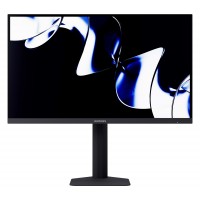
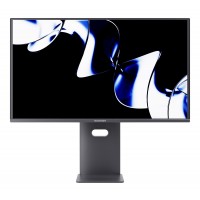
WootVision Pro 27Q O500 27" WQHD (2560x1440) 500Hz 0.03ms Samsung...
In stock with WootwareR22,999.00
R13,999.00
Save: R 9,000!





Logitech 960-001585 Brio 100 2.0MP Full HD 1080P Graphite USB 5Gb...
Stock Coming SoonR699.00
R599.00
Save: R 100!
Logitech 920-009800 MK295 Silent Wireless Keyboard & Mouse Combo
In stock with WootwareR749.00
R569.00
Save: R 180!
Microsoft Windows 11 Professional 64-bit Operating System - DSP P...
In stock with WootwareR4,199.00
R2,799.00
Save: R 1,400!
Super Flower SF-850F14GE Leadex III GE 850W 80 Plus Gold ATX 3.1 ...
In stock with WootwareR2,799.00
R2,199.00
Save: R 600!
Apple Mac mini M4 10-Core CPU 10-Core GPU 16GB/256GB Silver (MU9D...
Contact for AvailabilityR20,999.00
R18,999.00
Save: R 2,000!
Microsoft Windows 11 Home 64-bit Operating System - DSP Pack
In stock with WootwareR3,499.00
R2,249.00
Save: R 1,250!
ID-Cooling FROZN A620 PRO SE BLACK 120mm Dual-Tower Black PWM CPU...
In stock with WootwareR949.00
R849.00
Save: R 100!
GMKtec NUCBOX G3S Titanium Grey Intel N95 3.40GHz Quad-Core 8GB(1...
In stock with WootwareR8,499.00
R5,999.00
Save: R 2,500!
AMD 100-100000662WOF Ryzen 9 9900X 5.60GHz 12-Core Zen 5 Socket A...
In stock with WootwareR9,599.00
R7,799.00
Save: R 1,800!
AMD 100-100001084WOF Ryzen 7 9800X3D 5.2GHz 8-Core Zen 5 Socket A...
In stock with WootwareR12,699.00
R9,199.00
Save: R 3,500!
GMKtec NUCBOX M6 Ultra Black AMD Ryzen 5 7640HS 5.0GHz 6-Core 32G...
In stock with WootwareR20,799.00
R15,499.00
Save: R 5,300!
Montech AIR 903 MAX Black RGB Tempered Glass ATX Mid Tower Deskto...
In stock with WootwareR1,749.00
R1,399.00
Save: R 350!