WootVision 27Q I120 27" WQHD (2560x1440) 120Hz 5ms IPS Anti-Glare...
 In stock with Wootware
R3,899.00
R2,399.00
Save: R 1,500!
Gigabyte G27Q20 27" WQHD (2560x1440) 210Hz OC 0.5ms SuperSpeed IP...
In stock with WootwareR4,999.00
R3,999.00
Save: R 1,000!
Dell SE2725HM 27" Full HD (1920x1080) 100Hz 8ms IPS Desktop Monit...
In stock with WootwareR2,799.00
R2,199.00
Save: R 600!
WootVision Pro 27Q M240 27" WQHD (2560x1440) 240Hz 1ms Fast IPS M...
Stock Coming SoonR5,899.00
R4,599.00
Save: R 1,300!
WootVision 27QF I210 27" WQHD (2560x1440) 210Hz (OC) 1ms (OD) IPS...
Stock Coming SoonR4,399.00
R2,999.00
Save: R 1,400!
WootVision Pro 27Q O240 27" WQHD (2560x1440) 240Hz 0.03ms QD-OLED...
In stock with WootwareR14,999.00
R8,999.00
Save: R 6,000!
Dell SE2726D 27" WQHD (2560x1440) 144Hz 8ms IPS AMD FreeSync Desk...
In stock with WootwareR4,499.00
R3,999.00
Save: R 500!
Acer UM.HMXEE.001 M27V17Q 27" WQHD (2560x1440) 100Hz 5ms IPS Anti...
Stock Coming SoonR3,699.00
R3,299.00
Save: R 400!
Gigabyte G27Q3 27" WQHD (2560x1440) 320Hz 1ms SuperSpeed IPS Free...
In stock with WootwareR7,499.00
R5,799.00
Save: R 1,700!
WootVision Pro 27Q O500 27" WQHD (2560x1440) 500Hz 0.03ms Samsung...
In stock with WootwareR22,999.00
R13,999.00
Save: R 9,000!


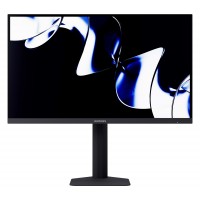

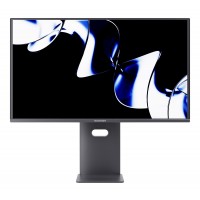


| SPECIFICATIONS | |
| Brand | WootVision Pro |
| Series | Monitors |
| Model | WV27QHD8S-240HZ |
| Display | |
| Panel Size | 26.5" |
| Panel Type | QD-OLED (Quantum Dot Organic LED) |
| Resolution | WQHD (2560x1440) |
| Refresh Rate | 240Hz |
| Response Time | 0.1ms (GtG) |
| 0.03ms (Over Drive) | |
| Contrast Ratio | 1,500,000 : 1 (Typical) |
| Brightness | Full White Luminance (APL100%): Min 200nits - Typical 250nits |
| 10% Window Center of Screen: Min 400nit - Typical 450nit | |
| 3% Window Center of Screen: Min 800nit - Typical 1000nit | |
| Colour Gamut Coverage (Typical) | NTSC (CIE1976): 98% |
| DCI-P3 (CIE1976): 99% | |
| sRGB (CIE1976): 100% | |
| Adobe RGB (CIE1976): 99% | |
| BT2020 (CIE1976): 89% | |
| Colour Accuracy | Delta E <2 |
| Display Colours | 1.07 Billion Colours |
| Panel bit depth | 10-bit |
| Pixel Pitch | 0.2292mm x 0.2292mm |
| HDR support | HDR400 True Black |
| Adaptive-Sync | FreeSync |
| Panel Treatment | Glossy Anti-Reflect |
| Features | Software Low Blue Light Control |
| Dynamic Contrast Ratio | |
| FPS/RTS Game Modes | |
| Game Plus | |
| Picture in Picture/Picture by Picture | |
| OLED Burn-in Protection Program | |
| Viewing Angle | 178° / 178° |
| Flat / Curved | Flat |
| Bezel Type | 3-Sided Frameless Bezel |
| OLED Panel Protection Features | |
| Pixel Shifting | Periodic frame shifts to avoid pixel aging. |
| Static Picture Detection | Auto-dims brightness for static images to protect panel. |
| Static Element Detection | Reduces brightness for fixed icons, taskbars, and frames in dynamic content. |
| Low Edge Consumption | Dims corner brightness to focus user attention on the center of the display. |
| Manual Maintenance | User-triggered maintenance process (4 - 20 minutes). |
| Maintenance Notification | Alerts user after 4 hours of use to suggest maintenance. |
| Physical | |
| Height Adjustment | Up to 120mm |
| Swivel | -20° - 20° |
| Pivot | -90° - 90° |
| Tilt | -5° to 20° |
| Wall Mountable (VESA) | 75mm x 75mm |
| Connectivity | |
| Display Input | 2x HDMI v2.1 |
| 1x DisplayPort v1.4 | |
| Audio Output | 1x Audio Out |
| FreeSync Range | 48Hz - 240Hz (Via HDMI or DisplayPort) |
| Power | |
| Voltage Required | DC 24V 5A 120W |
| Power Consumption (Operating) | 66W (Typical) |
| 105W (Max) | |
| Power Off Mode | 0.3W |
| Power Saving Mode | 0.5W |
| General | |
| Dimensions (with Stand) | 610.7mm x 567.2mm x 310.9mm |
| Dimensions (without Stand) | 610.7mm x 351.7mm x 65mm |
| Weight (Net) | 3.55kg (Without Stand) |
| 5.55kg (With Stand) | |
| Weight (Gross) | 7.9kg |
| Warranty Information | |
| Warranty | 3 Year Warranty (Including Panel Burn-in) |
| Manufacturer's Site | No |
|---|---|
| Product Link | No |
- Fantastic 10/10 - Zombiedog, 3 February 2026
This monitor is amazing quality for the price, the build quality is great, the stand is sturdy and the display is crisp.
- Great Value But! - Mauritz Stefanus, 3 October 2025
Most things said in other reviews are spot on. It is fantastic value if the cons dont bother you but it is not for everyone
so take note
OSD is buggy and RGB lights keep resetting to rainbow puke
Hardware support HDR Peak 1000 but does not have a HDR1000 mode (although HDR400 True black is just better for gaming IMO)
Also has the usual QD oled issues like black level raise in bright rooms but all QD-oleds have that.
there is also the text fringing issue but honestly I have 20/20 vision and it was such a non issue I almost started to question if this was a qd-oled. (yes it is a qd-oled)
Fortunately this appears to be a 3rd gen qd oled so the black level raise is far less noticeable and greyish (not magenta) so it doesnt affect color accuracy or have a redish tint gaming in a bright room.
As long as none of those are a deal breaker for you and you want a great HDR experience for gaming then this monitor is for you.
Just check that the game you want to play has proper HDR support. - Great value with some caveats - Mauritz Stefanus, 1 October 2025
For an everyday consumer this is a 4/5
For someone who knows these monitors and can deal with the issues then it's a 5/5 just purely for the value.
Monitor arrived today. Most of what is said above is pretty accurate. This appears to be a 3rd gen Samsung QD-OLED display as it turns grey not magenta in bright environments instead of magenta like 1st and second gen panels.
Some issues.
1. OSD needs work...a few bugs present but nothing too bad
2. RGB lights at back sometimes revert to rainbow puke which is a slight annoyance (but i read the reviews and expected this)
3. Manual really needs work. I locked OSD hoping it would fix the rainbow puke reverting but couldn't unlock it and the manual had no info. managed to fix it following the manual from other screens. This could be a headache for normal users. Not sure if wootware will support issues like this.
HDR only appears to have HDR 400 True black. so although it has peak 1000 capability the software doesn't allow the use of it.
HDR does look great though. slightly better than my WOLED TV.
I would only recommend this strictly for gaming thou. in particular for HDR or competitive gaming.
The text fringing issue is a non-issue as it's barely....and i mean barely visible. I really had to look. If I didn't know it should be there I would have used this monitor for months before realising the issue even existed.
Overall very impressed so far. only rating it 4 because this monitor isn't perfect for everybody because of the issues listed before - Beautiful piece of kit - James, 31 July 2025
Such a beautiful sharp monitor. I think the thing that really grabs you when you first start using it is how sharp everything looks and bright, colours and blacks of course look gorgeous.
I've been using it for gaming and work purposes (Elden Ring and Cyberpunk) - both look fantastic on it. For work purposes, reading text etc I've not had an issue with text issues like Oled's are known for, maybe it just doesn't affect me like others.
The brightness being a QD-Oled is actually quite insane, this monitor is seriously bright - I've been using the "Gaming HDR" mode. I also dig how you can have the monitors refresh rate displayed on the monitor to be able to check if VRR is working properly when changing modes and experimenting. The build quality is really solid, feel sturdy. I love how thin the monitor is too. I run multiple monitors, 4k pretty decent spec tv (60hz, vrr,allm, 72 local dimming zones, solid colours) situated a bit further away and another 24" 144hz IPS panel. When I boot up or just have a something displayed the difference in brightness and black levels is off the charts.
All in all for the cash outlay I don't think you're beating this price to quality anytime soon - Great price 10/10 - LJ, 15 July 2025
Fantastic value for an OLED monitor. The colors are vibrant and the visual quality truly blew me away. I’m currently limited to 120Hz due to using it with my older gaming laptop, but I can’t wait to see what it can do once I connect it to my new PC build with 240Hz.
- Worth it - Adriaan, 26 June 2025
Stunning colours , good FPS , easy to setup and quick delivery
- Beyond Great with Some Caveats - Cameron, 1 May 2025
This is an excellent monitor, but the technology behind it is still fundamentally flawed in terms of text fringing. Though, I notice it less, it can get annoying. No matter what, there is no software solution that will solve this issue. Text fringing on the top and bottom of text can be distracting. The overall fringing on everything UI-related makes it feel like something is wrong.
Regardless, if you’re primarily using this monitor for games or video, this is hands down an incredible monitor to own. If you’re doing that, this is easily a 5/5 monitor, especially for the price.
If you’re primarily going to be doing office work or coding or writing documents, this is fundamentally the wrong monitor to be getting, closer to a 2/5. I fall into both categories as a programmer and gamer, so for me, the monitor is a 4/5. It blows me away how the monitor can dim to the level that I need to turn off the lights in my room to be able to see very dark scenes. As in, in a game where it is super dark, the monitor accurately recreates that darkness so much that you need to adjust your eyes in real life. That’s the kind of thing that has me wondering if I should really be giving it a 4/5, and not a 5/5, despite the obvious flaws of QD-OLED.
The only other gripes would be the inability to adjust settings in HDR, the frequency it would prompt to do screen maintenance, and the lack of a dedicated on-off button. I frequently turn off my monitors and having that additional click in the OSD is slightly annoying.
I used my iPhone 12 screen as reference to set colours accurately. While my iPhone 12 screen could get brighter, I don’t think that matters much here. In terms of absolutes, it was about as bright as 40% brightness on my iPhone. - Better than expected - Giovanni, 28 April 2025
After much debate I decided to buy this and I'm mostly surprised.
I do have a few complaints though. The super glossy screen is a magnet for smudges and dirt and if there was a way to turn the LED Lights off that's at the back of the monitor, that would be nice too.
As far as HDR goes, I cannot complain at all as the screen does get bright enough to almost blind you, especially in a dark room - It's great but not nav - Daniel, 25 April 2025
The screen itself performs beautifully and is as advertised. The OSD needs updating. I want to turn off the rgb lights at the back and always have them off when I turn it on but it continues to come on at startup. Finding the settings you are looking for is also more complicated than it needs to be.
- Extremely Satisfied with my purchase - Logan, 17 April 2025
Introduction & Unboxing
The packaging is fairly generic black and brown (and sticky sorry I got excited) with a few wootware additions and the specs listed on the box.
What's in the Boxed Box
1 x 27" QD-OLED Panel
1 x Adjustable Monitor Stand
1 x DisplayPort 1.4 Cable
1 x HDMI 2.1 Cable (Website mentions two, but I only found one)
1 x Clover Power Cable and Power Adapter (It’s massive—definitely not what she said)
1 x Instruction Manual
2 x Colour Calibration Sheets (Factory calibration at this price is impressive +5 points)
A packet of 75x75 Vesa extension things this allows you to use any 100x100 Vesa with the 75x75 mounting holes I am currently using this on a monitor arm.
First Impressions:
The monitor is surprisingly light, but not cheap-feeling, coming from a 32" panel with the PSU built in its a bit surprising. The build quality feels solid, with a mix of metal and plastic for the panel and stand.
The front of the monitor is sleek with black bezels and a gunmetal finish on the housing with a small "wootware" centre on the chin. The back is more about the RGB, which looks nice on the sides with good diffusion, but the ring of RGB has visible LED hotspots throughout. Like a mullet its business in the front and Dik-sko in the back.
The bezels vary in size—1.2cm on the sides, 0.6cm on top, 0.3cm on the bottom, and 1.0cm gunmetal chin below that as mentioned above
No monitor assembly tips for noobs here as its easy. So no duct tape, lube or butts necessary - @superrob
The monitor is extremely stable on the stand as its the classic V-shaped legs with one screw to connect the legs to the stand and a click in action to connect the stand to the panel. The stand is fully adjustable and can even be orientated vertically for all you discord mods to make keeping tabs on your e-cats easier (I think that's the term).
The “Boring” Section (Except Not Really, Because It Has a Nipple)
The monitor has no physical buttons other than the innovative “Nipple.”
One press powers it on, and another brings up a quick menu with the following options:
Centre – "Enter Menu"
Left – "Exit Guide"
Right – "Hotkey 1"
Up – "Hotkey 2"
Down – "Power"
almost konami code
This layout is super easy to use.
The OSD (On-Screen Display) Menu
Picture Modes:
Standard Mode (Out-of-the-box option, which I think is the best)
Various modes for different game types (Honestly, these aren’t worth mentioning)
sRGB Mode (Factory-calibrated sRGB)
AdobeRGB Mode (Factory-calibrated AdobeRGB)
DCI-P3 Mode (Factory-calibrated DCI-P3)
Picture Settings:
Brightness (0-100)
Brightness Mode (Normal or Highlight)
Contrast (Adjust contrast)
Low Blue Light (Reduces blue light)
Sharpness (Increases sharpness)
Gamma (Options from 1.8 to 2.6, including an S-curve)
Aspect Ratio (4:3 for nostalgia)
Hue
Saturation (Increases color saturation)
Eyeshield Reminder (If you use this, you’re not a real man)
Reset Picture Settings
Game+ Settings (Some of these feel like Cheating):
Monitor Size (This one’s odd)
HDR (Enables HDR)
Adaptive Sync
Picture Enhancement
Color Enhancement
CR Enhancement (Not sure what this does)
Shadow Balance
Night Vision Mode (Levels 1 or 2 with auto or manual—adjusts for dark scenes in games, works surprisingly well in Rust and Tarkov)
Super Resolution
Game Rush Mode (No idea what this is—it's greyed out)
Game Aid
Refresh Rate (Displays your current refresh rate)
Crosshair (Decent, but only one good one)
Crosshair Color (Nice customization option)
Stopwatch
Game Time
Alignment Aid
Game Illumination:
Control settings for the RGB.
Audio Settings:
Audio Pass-through (Includes Volume and Mute)
PIP/PBP:
Greyed out since I only have one monitor, but it’s self-explanatory.
I/O Settings:
Input Signal
Quick Boot
DDC/CI (Allows communication between GPU and monitor)
Quantization Range (Amount of colour data the monitor accepts)
Reset I/O
System Settings:
Language
OSD Timer Out (Controls how long the OSD stays visible)
OSD H-Position (Change horizontal position of the OSD)
OSD V-Position (Change vertical position of the OSD)
OSD Transparency
Hotkey1 / Hotkey2
OSD Lock
OLED Care:
Pixel Shift (How often pixel shift occurs)
Screen Saver (I think this will apply Non-static screen saver I'm not sure )
Static Icon Detection (Adjusts sensitivity to static images)
Low Power Consumption
Taskbar Detection
Boundary Detection
Panel Maintenance
Protection Notice
OLED Care Mode (Strong or Custom are the only options)
Reset OLED Care
Display Performance
This monitor boasts a 240Hz refresh rate at 1440p, which can be achieved using both the DisplayPort and HDMI cables. The monitor covers the following percentages of each colour gamut:
DCI-P3: 99%
sRGB: 100%
Adobe RGB: 99%
It supports 10-bit color depth and is factory-calibrated with a Delta E < 2 for each colour gamut. The only downside is that it only supports HDR400, which isn’t fantastic, but the SDR settings are excellent out of the box.
As a QD-OLED panel, it doesn’t need any tricks to achieve that buttery smooth 0.03ms response time, and the viewing angles are incredible.
I didn’t experience any VRR flicker on my unit, although text fringing is noticeable. This jarring affect can be reduced with ClearType or other adjustments.
Design & Build Quality:
The base of the stand and the internal components are made of metal, providing solid stability. The outer casing of the stand is plastic, which helps to reduce the overall weight but doesn’t compromise on sturdiness.
One thoughtful addition is the headphone hanger, its not in the best place, located at the back of the stand but is nice to have, there is also a cable management "channel" but it placed vertically like a spine along the stand which makes no sense.
The panel itself is extremely thin however upon measurement it seems the Panel is only 26.5" this can be seen in the "Product Description" on wootware however the main page and box advertise 27" however I will let this slide as we have all rounded up an inch in our lifetime.
On the back of the monitor, there’s a small box which houses the ports and RGB lighting and presumably some other fancy stuff to run the monitor.
The back of the monitor has the following:
DisplayPort 1.4
DisplayPort 2
HDMI
Power
Audio Aux Passthrough
Gayming & Media Consumption
Its just simply better. If you are a person who plays games and you are on an IPS, VA or TN Panel and have not experienced OLED its just better there is not much more to it. Everything is sharper faster smoother cleaner. The best way I can describe it is that it is like going for 60hz to 144hz for the first time except its on steroids. If you are into competitive games the latency combined with the high refresh rate is incredible. if your into Single-Player eye candy I promise you Doom Eternal is like a different game (Thats the only "good" looking game I've played on it).
Only thing to note is that the panel is Glossy which is a double edge sword. Great for Colours even better for last second mug-shots features your man boobs.
Office & Creative Work
For creative professionals, the colour accuracy and 10-bit colour depth make this a fantastic choice. However, if you're using it for office work like reading emails or browsing spreadsheets, the text fringing might become a problem. Some people don’t notice it as much, but for me, it was pretty jarring.
$Value$
At this Price point there is nothing in South Africa to compare if you are on the hunt for an OLED and have the money you've bought this already so ignore this section.
Conclusion
Pros:
Incredible price-to-performance ratio, especially in this economy.
240Hz refresh rate and lightning-fast pixel latency are perfect for competitive gamers.
The OLED panel offers stunning image quality and color accuracy.
VESA 75x75 mountable (works on 100x100 without extenders).
No VRR flicker on my unit.
Is Glossy so Colours are "enhanced"
Cons:
Text fringing can be an issue, especially for office work.
Glossy panel means occasional reflections result in my man boobs make a cameo during dark scenes.
The bezels leave a little to be desired
If you have been on the fence about OLED and plan to use it mostly for games videos and movies, trust me when I say this IT IS WORTH IT. If however you plan to use this for work which involves a lot of text and or number for me I couldn't recommend it due to the text fringing however if you work requires anything to do with colour such as video editing or colour correction this could be the panel for you as well. - Awesome - Nazmoza, 9 April 2025
Bought the monitor blind, pleasantly surprised!
Great build quality, easy setup and most of all, incredible visuals! the warranty is a bonus.
Highly recommend, its massively cheaper than any competitive panel.
The saturation out of the box is a bit high, its the only setting i adjusted to match my other 2 screens as i am a 3d artist. - Amazing - Ano, 6 April 2025
Completely worth the price in comparison to other OLED's, and the upgrade in colour accuracy from IPS is massive.
- 11/10 Monitor - Russel, 5 April 2025
Probably the best monitor all in all at its size given the price. It looks stunning, response times are insane and HDR is out of this world with the high peak brightness and the fact its OLED
If you're using HDR in windows just remember to grab the HDR Calibration app and set up an HDR colour profile - it will auto load when you toggle HDR on
Questions
Ask a Question
No questions yet. Be the first to ask!
Logitech 960-001585 Brio 100 2.0MP Full HD 1080P Graphite USB 5Gb...
Stock Coming SoonR699.00
R599.00
Save: R 100!
Logitech 920-009800 MK295 Silent Wireless Keyboard & Mouse Combo
In stock with WootwareR749.00
R569.00
Save: R 180!
Microsoft Windows 11 Professional 64-bit Operating System - DSP P...
In stock with WootwareR4,199.00
R2,799.00
Save: R 1,400!
Super Flower SF-850F14GE Leadex III GE 850W 80 Plus Gold ATX 3.1 ...
In stock with WootwareR2,799.00
R2,199.00
Save: R 600!
Apple Mac mini M4 10-Core CPU 10-Core GPU 16GB/256GB Silver (MU9D...
Contact for AvailabilityR20,999.00
R18,999.00
Save: R 2,000!
ID-Cooling FROZN A620 PRO SE BLACK 120mm Dual-Tower Black PWM CPU...
In stock with WootwareR949.00
R849.00
Save: R 100!
Microsoft Windows 11 Home 64-bit Operating System - DSP Pack
In stock with WootwareR3,499.00
R2,249.00
Save: R 1,250!
GMKtec NUCBOX G3S Titanium Grey Intel N95 3.40GHz Quad-Core 8GB(1...
In stock with WootwareR8,499.00
R5,999.00
Save: R 2,500!
AMD 100-100001084WOF Ryzen 7 9800X3D 5.2GHz 8-Core Zen 5 Socket A...
In stock with WootwareR12,699.00
R9,199.00
Save: R 3,500!
AMD 100-100001405WOF Ryzen 5 9600X 5.40GHz 6-Core Zen 5 Socket AM...
In stock with WootwareR5,799.00
R4,499.00
Save: R 1,300!
Montech AIR 903 MAX Black RGB Tempered Glass ATX Mid Tower Deskto...
In stock with WootwareR1,749.00
R1,399.00
Save: R 350!
GMKtec NUCBOX M6 Ultra Black AMD Ryzen 5 7640HS 5.0GHz 6-Core 32G...
In stock with WootwareR20,799.00
R15,499.00
Save: R 5,300!