- OLED is baas! - Charl, 3 February 2026
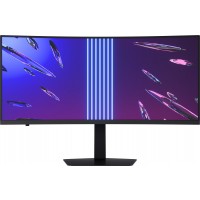
Upgraded from an older DELL S3422DWG ultrawide to this OLED.
Fast paced games, like FPS's are way smoother. From having to play on 144hz for over a decade to suddenly 240hz is worth the upgrade. You will be better in competitive online games.
Biggest win is having this Alienware monitor next to my 4k IPS monitor.. the blacks on the OLED are LEGIT. It makes my IPS Dell look bad.
I have a plain black background on both my monitors and I often think why is this OLED screen switched off?
Overall great upgrade; Once you go OLED, you never go back ;-)
- Screen is amazing. - Davin, 11 December 2025
I went from a 7 year old 24inch 4K 60fps to this.
I dont think you can trust me when I say its the best thing ever because my comparison is a bit skewed.
I am even enjoying working from home more as the refresh rate, size and color feel like they make a difference.
- Alienware AW3425DW what a fantastic monitor! - Jacques, 8 December 2025
I have had a few monitors in my life and recently went through a whole “Hardware Unboxed episode” where I searched for the perfect display. I tried the Asus Oled's and also the LG UltraGear OLED 27" and 32" monitors, and even the Alienware AW3225QF. Yet, I always come back to this monitor. There's just something about an ultrawide for gaming that delivers unmatched immersion. BF6 and Arc Raiders look and perform phenomenally on this screen!
I also do light video editing, graphics design, and even coded a project on it. The text quality is noticeably better than the previous model. Just make sure you run it in 10‑bit colour mode or Creator Colour Mode to get accurate SDR colours when working on content creation.
I wouldn’t use this as my daily driver for work as burn‑in is still a thing, and text fringing still exists (though it’s almost invisible). I have this monitor mounted at the top, with another IPS monitor below for work tasks.
I would recommend this screen again and again. It’s simply a fantastic experience for gaming 5 stars!
- Incredible - Sean, 19 November 2025
Just buy it, you won't regret it.
Best monitor I've ever had.
- Stunning - John, 31 October 2025
The inky black and vivid colours are absolutely amazing, as is the HDR in games and supported video. The refresh rate is like it's from the aliens (excuse the pun). I've also retired my 2nd monitor to my old PC on the other desk. It's simply not necessary anymore with so much real estate on this one and a TV in the corner for watching videos while I'm working/gaming. Doing rural night flights in flightsim now present a true black sky. I'll never be able to go back to a non-OLED monitor. This is on whole new level.
- Awesome monitor, but take note - Liam, 24 October 2025
I've had this monitor for about a week, and it has been great. High FPS, popping and vibrant HDR colors, just awesome.
While researching this and in the process of using it, there are a few things worth noting:
* Text fringing is a thing. Coming from a boring TN panel, editing text on this QD-OLED does look a bit funky. I'm able to get around this because I stream my linux box from a separate PC to my local display, and the resized image does not have very noticeable fringing. But I think I would it uncomfortable to work in text editors directly on this display for my day job. What that tells me is that it might be useful to downscale the resolution while working, if you do text editing work on the machine directly connected to the display. By the way, this is all after installing MacType on my windows machine with the DeepGrayNoHinting profile - it helps a good bit, but it doesn't get rid of enough for my satisfaction.
* In some games, there is an odd brightness popping here and there. This relates to variable frame rates, and I've found that capping the frame rate and/or doing V-sync at 240 FPS solves the issue here. Check the rtings review for more info.
* The monitor is surprisingly light - its very manageable to carry it under arm and position it around yourself.
* On that note, the monitor DOES have a 100x100 VESA mount (there is conflicting info about this online). Turn the monitor around, and you'll see a center square with 4 black screws. Unscrew those 4 black screws - boom, VESA mount. :) It did end up tilting down to the right quite a bit on my dual monitor arm, which I solved by affixing a 1kg weight to the left side of the monitor ('n boer maak 'n plan).
* In the monitor settings, you can choose between 400 "True" HDR or 1000 HDR. This refers to total nits power. I like the 1000 personally, but you can try em and see.
* Nvidia RTX cards allow you to configure AI super resolution and fake HDR for SDR videos (in the nvidia settings). There is a plugin which you can use to get upscaled videos in MPC-BE here: github.com/emoose/VideoRenderer. This basically lets the super res and HDR mapping stuff work for video files on your PC (by default, it only applies to vids in your browser). I find it works for some videos better than others, and for my content I've found it better not to use it.
* You probably want to configure HDR in windows and get the "Windows HDR Calibration" app to create an HDR profile for windows to use. My end result looks decent.
* For applying fake HDR to old SDR games, I recommend using RTX HDR via the Nvidia app (instead of windows fake HDR for games). You can configure this per game.
* For newer games with HDR built in, one also often needs to calibrate the HDR within the game. This is probably in the game settings menu.
* Check https://www.wsgf.org/ for tips and tricks to get older games going in 3440x1440. There are also sometimes mods that get it working well.
* Using Windows PowerToys and the contained FancyZones, you can make good use of the real estate provided by the screen by snapping them into configured regions. This does not force games into these regions (a plus).
* Being concerned about OLED burn in, I've configured the taskbar to only sit on my second display (by using the StartAllBack program), removed any desktop icons from my OLED, and configured a slideshow background. I change the gap in FancyZones every so often and drag windows around while I'm working as well. I'm probably overly paranoid.
* I bought a 5070 TI to help drive this thing, and it works great. I find the DLSS upscaling to work pretty well to keep the frame rates up in demanding games - there are some subtle blurring issues when the scene is in motion, but I find it better than running more medium settings without DLSS (YMMV).
All in all, I love gaming on this thing. Its made old games new again, and titles that I would not have played more appealing. Would recommend.
- Wow - Derek, 20 September 2025
I have been running this monitor for 3 months now mainly for FPS gaming and surfing the net. The colors this monitor can produce is nothing short of amazing.
Sales experience with WootWare was top notch. Thank you Craig for assisting on this sale.
- Amazing - AARAV, 10 September 2025
Absolutely amazing, the screen is out of this world ! The price is unbelievable for what the monitor offers, this was an amazing buy ! Great service as always !

 Stock Coming Soon